

honeycut_mazda5
-
Posts
231 -
Joined
-
Last visited
honeycut_mazda5's Achievements






-
Make sure there is no damage if the lug nuts are loose enough to make a noise. To ensure that the wheel holes have not been chewed up or ovalled, remove each wheel that is affected and inspect all of the studs.
-
Adapts its speed to that of the car? Everything from the wheels and axles to the brakes, differential, driveshaft and gearbox is part of the drivetrain. I would highly recommend towing. In the event that an issue arises, the dealer will not be able to blame you for driving recklessly or making matters worse. (I wouldn't take the chance that they may, but it doesn't mean they definitely would.) It may be something as insignificant as an object caught in a moving component. A steel cable got stuck on my wife's driveshaft years ago when she was passing over something. Out of nowhere, "thump thump, thump"—exactly as you said. I don't know what the odds of that happening again are, but here's hoping it's something nearly that easy for you.
-
Perfectly fine...160,000 km
-
I spotted two 2023 CX30 Preferred models that came with a sunroof credit, which means they are preferred packages without a sunroof, when I was shopping around for my new car in January of that year, during a parts scarcity.
-
Excuse me, but no. As near as I can tell, the front radar failed to pick up any objects. And it was a sunny day, too. As far as anyone can tell, it only occurred once. I am unsure as to whether your problem would trigger any codes or not. It might be a good thing to look into.
-
There are no outstanding recalls on this vehicle, according to my pre-purchase check of the vehicle identification number on Mazda's website. Carfax also shows that routine maintenance was done. I took a chance and had it done after purchase, while the vehicle was still under warranty, because a licensed Mazda dealer was booked for two weeks before I ever made the purchase.
-
purchased a pre-owned 2025 CX-90 MHEV (not certified pre-owned) from a dealership that is not affiliated with Mazda. When I bought the automobile, it had approximately 27,000 miles on the odometer and was built in July 2024. I'd like to bring it in for an examination at an authorised Mazda dealer, even though I've put an extra 1,000 miles on it since purchasing it and haven't seen any problems yet (apart from the brakes screeching every so often). I am crossing my fingers that Mazda will pay to fix it as it is still under the bumper-to-bumper warranty and any problems that haven't shown up yet can be discovered with a comprehensive inspection. Since I haven't detected any problems (apart from the brake squeal), I'm wondering what the best course of action is. In order to have it towed to the dealership for a comprehensive inspection, do I need to "make up an issue"? Or should I simply bring it in and explain that I didn't buy it from a Mazda dealer and that it needs a thorough check (basically the same kind of inspection a CPO gets)? Additionally, is there anything unique about my year, manufacture, and construction date that the dealer should be aware of? I am grateful.
-
Concerning the availability of Jack to UK owners
honeycut_mazda5 replied to Gianni682's topic in General Car Chat
You should also bring a tool to loosen the wheel bolts. I got a tire space saver and a jack, and I also got an extension wrench with several sockets to put in the trunk. Definitely preferable to that four-way cross wheel nut thing. -
manufacturer-approved tyre degradation
honeycut_mazda5 replied to heralder's topic in General Car Chat
If they barely last 15,000 miles, it might not be worth it to rotate them. Unfortunately, their unusual breadth of 275 makes them unusable. There is a dearth of reasonably priced alternatives. -
Very much so. You won't know how much you'll depend on it until you actually have it. Makes everything very obvious
-
Great job on the fuel economy; 51 mpg is fantastic. Your accessory choices are spot on; the digital mirror, in particular, will revolutionise your visibility, particularly while you're in the backseat. Coordinating the installations was a wise move. It seems like a fairly equipped vehicle. Have fun with it
-
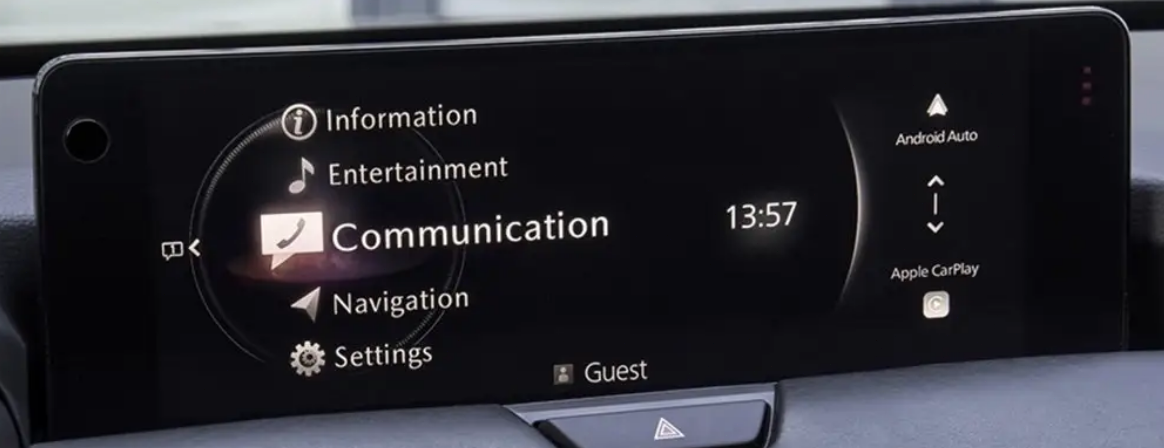
I'm willing to guess that your Mazda dealer is using an outdated version of the Connect firmware as they seldom update it while servicing customers' cars. Because of the car's antiquated firmware, Mazda dealer service is always reactive, but I'd rather take a proactive approach with Mazda Connect. The files used are authentic and authorised by Mazda Motor Corporation Japan and supplied to their Mazda dealers. Yes, it is quite easy and will not cancel your new car warranty. Things You'll Need to Upgrade Your Vehicles MAZDA CONNECT, Generation 7. 1. A desktop computer running Windows 10 or Windows 11 Pro 64-bit. A USB flash drive that has been formatted to FAT32 and has a capacity of 32, 64, or 128 gigabytes, as long as it has a USB C male port. 3. The Official Mazda Firmware Update File, which I will privately provide to you via a Mega Link, together with all the necessary instructions, for download. You may use the translation feature in the upper right corner of most PC browsers, such as Google Chrome and Microsoft Edge. Not only are these updates always free from me, safe and genuine Mazda, but there are a few of people in Europe who are charging for them. Be wary of downloading from unofficial YouTube links, since the advice there could be inaccurate or nonexistent. I am here to guide you through this simple procedure. Please be informed that it is not possible to change or swap entertainment systems. Doing so would be quite troublesome. Warning: International syncing issues may occur with incompatible TCUc, CMUs, emergency SOS numbers, GPS, and navigation SD card maps. Because Mazda systems are VIN-locked and cannot be transferred, this vehicle is only compatible with use within the country in which it was originally manufactured. The 7th Generation Mazda Connect is standard on all Export CX-90s. See above for a 7th generation Mazda home screen with white text on a black background. The red choose icons appear on a black screen on older 6th generation Mazda home screens. JOIN ME Simply click on my ASH8 avatar, a pop-up will appear; from there, find the "+ FOLLOW" tab on the bottom left of the pop-up and click it to get fast alerts whenever I publish new content, such as bulletins or firmware updates. This manual update file is specifically designed for CX-90s that were sold new in North America, such as the USA, Canada, and Mexico, starting from 2026 or 2027. The newest official firmware update for Mazda vehicles is now available.. 7023C1A-NA13-100??.kwi is valid just in North America.
-
Update files for Mazda Connect firmware include bug fixes. Please notify your dealer if you have any issues with your 2026 CX-90 Mazda Connect; this feature is currently unavailable. Anything that Mazda has not made accessible cannot be provided. In the years 2026 and 2027, CX-90 will be available. Regarding the Nations Included Here... USA (Canada). It won't work in China or Japan.
-
Six-month thoughts on the CX90 PHEV
honeycut_mazda5 replied to MidnightMarauder's topic in General Car Chat
Before I saw your message, I genuinely believed that I was the only one experiencing this sound.